
JazzCash APK is the official Android wallet app for sending money, paying bills, managing cards and using other JazzCash services. Because the app controls real money and personal information, install it only from the verified Google Play listing. An old or modified file is not a sensible shortcut when your balance, CNIC and MPIN are involved.
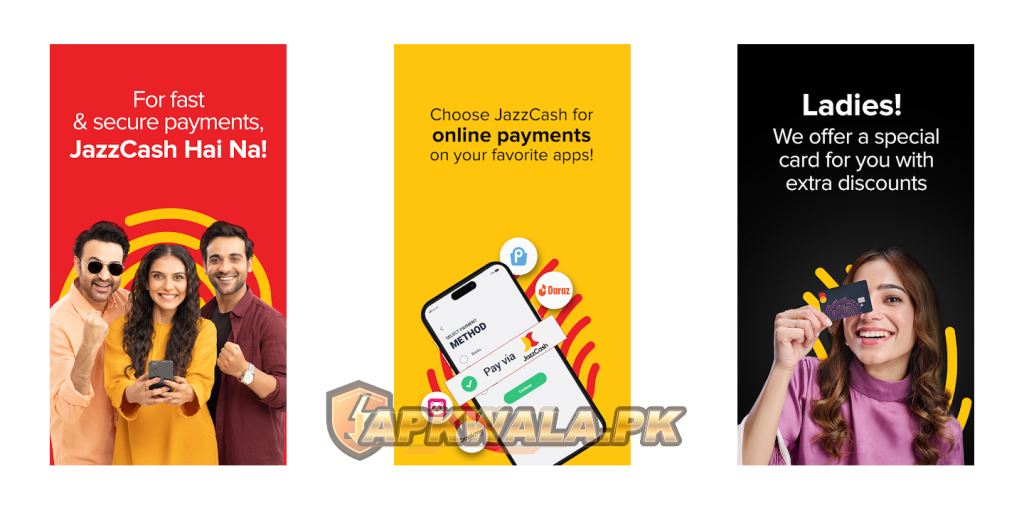
The official publisher displayed on Google Play is JazzCash, while the developer information identifies Pakistan Mobile Communications Limited. The Android package is com.techlogix.mobilinkcustomer. Check all three details before signing in.
Official download: Install JazzCash from Google Play
JazzCash APK information
| App detail | Verified information |
|---|---|
| App name | JazzCash – Your Mobile Account |
| Category | Finance and mobile wallet |
| Google Play publisher | JazzCash |
| Developer company | Pakistan Mobile Communications Limited |
| Android package | com.techlogix.mobilinkcustomer |
| Google Play downloads | 50 million plus |
| Rating at review time | 4.6 |
| Last update shown | July 10, 2026 |
| Supported listing devices | Phone, tablet, Chromebook and Wear OS watch |
| Price | Free to install; service charges can apply |
| Official Android source | Google Play |
| Modified APK hosted by APKWala | No |
Google Play decides compatibility according to your device, Android version, certification and current app release. The public listing may not show the same version number to every account, so do not treat a number copied from an APK mirror as the universal latest build.
See APKWala’s Pakistan Android apps section for other official-source download guides.
What we verified
We checked the live Google Play listing, JazzCash contact page and current privacy information on August 1, 2026. Google Play showed package com.techlogix.mobilinkcustomer, more than 50 million downloads, a 4.6 rating and a July 10, 2026 update date.
We did not open a private wallet, enter an OTP, perform biometric verification or send money. Account checks and app screens can vary. Troubleshooting below uses the official support information and clearly labelled user reports without pretending we reproduced each error.
How to download JazzCash APK safely
- Open the official Google Play link above.
- Check that the listing says JazzCash – Your Mobile Account.
- Confirm the publisher shown near the title is JazzCash.
- Verify that the URL contains
com.techlogix.mobilinkcustomer. - Tap Install or Update.
- Open the app from Android rather than from an advertisement or message link.
Do not install anything labelled “JazzCash Mod APK,” “unlimited balance,” “OTP bypass” or “rooted version.” No Android modification can create legitimate wallet funds. Such a file may steal your MPIN, OTP, CNIC details, contacts or payment information.
APKWala does not mirror the wallet file and never needs your number, OTP or MPIN. The download button should lead to Google Play.
What can you do with the JazzCash app?
The current Google Play listing describes services including:
- Transfers to JazzCash users and Pakistani bank accounts
- Utility, education and selected government payments
- Mobile load and packages
- QR merchant payments
- Debit-card management
- Savings, insurance and eligible loan products
- Online payments and offers
- Wear OS wallet functions on supported watches
Availability, eligibility, fees and limits depend on the account and product. Read the amount and recipient on the confirmation screen. A feature appearing in the app does not mean every account automatically qualifies for it.
For Punjab government PSID payments, APKWala’s ePay Punjab APK guide explains how to verify the reference and avoid paying the same challan twice.
How to register or sign in to JazzCash APK
The app guides new users through registration. The exact screens can change, but the process may involve your mobile number, OTP, personal details, MPIN and biometric verification.
Use a SIM and number you control. Then:
- Open the official JazzCash app.
- Choose the sign-up or login option shown.
- Enter the requested mobile number and CNIC information.
- Allow only the permissions needed for the official flow.
- Complete OTP verification on your own device.
- Set an MPIN that is not used elsewhere.
- Complete any required identity or biometric check.
Do not let a shopkeeper, agent or caller choose your MPIN. Do not use a birthday, 1234 or the last four CNIC digits. JazzCash support should not need the MPIN or OTP to investigate a complaint.
JazzCash APK OTP not detected automatically
Some recent Google Play reviews report that the OTP arrives by SMS but the Android app does not detect it, while no manual entry box appears. This can involve the app release, Android permission handling, SMS delivery timing or device configuration. A review confirms that a user experienced the error; it does not prove one cause for every phone.
Try these safe checks:
- Update JazzCash through Google Play.
- Confirm that the registered SIM is active in the phone.
- Check that JazzCash has the SMS permission requested by its official login flow.
- Set the default SMS app temporarily if Android asks.
- Turn off battery restrictions for JazzCash during verification.
- Set the phone’s date and time to automatic.
- Restart the phone and request one fresh OTP.
- Use the newest code or request only. Older attempts may expire.
Do not install an SMS-forwarding app, accessibility tool or unofficial keyboard merely to move the OTP. Those apps may be able to read sensitive messages.
Roman Urdu OTP help
Agar JazzCash OTP SMS aa rahi hai lekin app code detect nahi kar rahi, Play Store se app update karein. Registered SIM isi phone mein active rakhein, SMS permission check karein aur battery restriction temporary off karke aik naya OTP request karein. Bar bar resend na dabayein. OTP kisi ko forward ya share na karein.
JazzCash APK login problem after changing phones
A new device can trigger fresh security and identity checks. Keep the registered SIM available and make sure the CNIC and account details match the existing wallet.
If login fails:
- Confirm the phone number is correct.
- Use the official app, not a cloned copy or restored APK backup.
- Remove app cloning, dual-app or work-profile complications while testing.
- Update Android system components and Google Play services.
- Set date and time automatically.
- Avoid repeated MPIN guesses that could lock access.
- Call official support if the account appears blocked or tied to another device.
Never ask a stranger to receive the OTP on your behalf. If the registered SIM was lost, secure or replace the SIM through the network’s official process before trying to regain wallet access.
JazzCash APK not working on a rooted device
Wallet apps may block devices that fail security or integrity checks. Root access, an unlocked bootloader, custom ROMs, app cloning, debugging modifications or an uncertified Android build can trigger this type of protection.
Do not use Magisk modules, root-hiding tools, patched integrity components or a modified JazzCash APK to bypass the warning. Those changes can expose the wallet and may stop working after any update.
The safer options are:
- Use a stock, supported and Play Protect-certified device.
- Remove root and restore the manufacturer’s official software if you understand the process and have backed up the phone.
- Relock the bootloader only through the manufacturer’s supported procedure. Relocking incorrectly can erase or brick a device.
- Contact JazzCash and ask whether the exact device status is supported.
- Keep the registered SIM and account secure while resolving access.
APKWala cannot verify a rooted phone for JazzCash and does not provide security-bypass instructions.
JazzCash APK for old Android phones
If Google Play says the app is incompatible, the latest JazzCash build may no longer support your Android release or device configuration. Installing an old APK can appear to solve the installation error but still fail at login, OTP, identity verification or transaction authorization.
Try this first:
- Install any official Android system update offered by the manufacturer.
- Update Google Play Store and Google Play services.
- Free storage and restart the phone.
- Check whether the device is Play Protect certified.
- Use another supported phone that you control, with the registered SIM available.
- Ask JazzCash about an official non-app access method for your account and network.
Do not keep money access on a phone that no longer receives security updates if you have a safer option. An old interface is not worth weaker account protection.
JazzCash APK update not installing
When Google Play shows an update but installation fails:
- Check free storage.
- Restart the phone.
- Remove a stuck partial download.
- Update Google Play Store and Google Play services.
- Clear the Play Store cache.
- Check work-profile, parental-control and device-policy restrictions.
- Confirm that the installed package came from Google Play.
A package-conflict or signature error often means a differently signed copy is installed. Do not disable Play Protect to overwrite it. Save any details you need, remove the untrusted build and reinstall the official app.
JazzCash APK MPIN forgotten or account locked
Use the recovery option shown in the official app. The service may verify your registered number, CNIC, OTP or identity before allowing a new MPIN.
If the recovery screen fails, stop guessing. Repeated wrong attempts can cause a temporary or security lock. Contact JazzCash using the official numbers below and follow the account-verification process.
No support agent needs your current or new MPIN. Enter it only inside the official JazzCash interface or an authorized transaction prompt you started yourself.
Roman Urdu MPIN help
JazzCash MPIN bhool gaye hon to official app ka recovery option use karein. Random MPIN bar bar try na karein, account lock ho sakta hai. Helpline ko call karte waqt bhi apna OTP ya MPIN agent ko na batayein.
Mobile number verification failed
First check whether the registered SIM is active and whether the number belongs to the account you are trying to open. Then update the app, restart the phone, disable app cloning and retry on a normal mobile connection.
If the error persists, record the exact wording and time. Recent Play Store reviews mention this message, and official developer replies direct users to the helpline or complaints email. A backend account problem needs JazzCash support; clearing cache cannot repair an account record.
Do not create repeated accounts with different information to work around the error.
Transaction failed or money deducted
Treat failed, pending, reversed and successful as different statuses. If money appears deducted but the recipient has not received it:
- Do not repeat the transfer immediately.
- Open transaction history and note the reference number.
- Save the recipient, amount, date, time and status.
- Check whether JazzCash sends a confirmation or reversal message.
- Ask the recipient to check their own transaction history, not only a notification.
- Contact official support if the status remains unclear.
Never post a full receipt, CNIC, phone number or transaction reference publicly. Send evidence only through a verified JazzCash support channel.
Agar paisay deduct ho gaye hain lekin receiver ko nahi mile, foran dobara transfer na karein. Transaction ID aur screenshot save karein, status check karein aur official JazzCash support ko complaint dein.
JazzCash app opens and immediately closes
Update the app and Android system components first. Then force stop JazzCash, restart the phone and clear only the app cache. Check for available storage and remove screen-overlay, cloning or automation tools while testing.
Clearing app storage or reinstalling can sign you out and trigger device verification. Make sure the registered SIM and recovery information are available before taking that step.
If the app closes on a rooted, modified or uncertified device, use the security guidance above instead of hiding the device state.
JazzCash scam and unexpected OTP warning
An OTP you did not request can mean someone entered your number, whether accidentally or as part of an account-access attempt. Do not share the code, approve a prompt or follow links in the message.
If repeated unexpected codes arrive:
- Open JazzCash only through its official icon.
- Check recent account activity.
- Change the MPIN through the official flow if you suspect exposure.
- Call JazzCash immediately if you see an unauthorized transaction.
- Report suspicious calls or messages to the official helpline.
JazzCash’s contact page tells users to report suspicious calls or messages through helpline 4444. A caller who creates urgency and asks for an OTP or MPIN is not following a safe support process.
Is JazzCash APK safe?
The official Google Play listing uses package com.techlogix.mobilinkcustomer and identifies Pakistan Mobile Communications Limited in the developer information. Google Play’s current data-safety disclosure says the app may collect personal information, financial information and other data types, may share some categories with third parties, encrypts data in transit and allows users to request deletion.
Those statements are supplied by the developer and displayed by Google. They are not an independent audit. Read the current permissions and the official JazzCash privacy notice before using the wallet.
The correct source matters more than the filename. A file called JazzCash-latest.apk can still be altered. Use Google Play and keep Play Protect enabled.
Should you download an old JazzCash version?
No, unless JazzCash support provides an official compatibility path. Older financial-app builds may miss security updates and fail current identity, device or transaction checks. They may also expose a login flow that the service no longer accepts.
An old APK cannot restore a blocked account, bypass device verification or recover a forgotten MPIN. Use account recovery or official support instead.
If an older Android phone is the problem, move the wallet to a supported device you control rather than downloading an unknown archive.
Frequently asked questions
What is the official JazzCash package name?
The consumer Android app uses com.techlogix.mobilinkcustomer. JazzCash Business and Retailer are different apps with different packages.
Can people on other networks use JazzCash?
JazzCash has previously stated that users from any Pakistani mobile network can register through the app. Account eligibility and verification requirements still apply.
Why is JazzCash not reading my OTP?
Check the official app version, registered SIM, SMS permission, battery restrictions and automatic date and time. If the app provides no manual entry and still cannot read the message, contact JazzCash rather than installing an OTP-forwarding tool.
Can JazzCash work on a rooted phone?
It may refuse devices that fail its security checks. Do not bypass those controls. Use a stock, certified device or ask official support about the error.
Can I install JazzCash without Google Play?
APKWala does not recommend a third-party file for this wallet. If Google Play is unavailable or marks the device incompatible, contact JazzCash for a supported option.
Does APKWala host JazzCash Mod APK?
No. APKWala links to the official store and does not provide modified, cloned, premium-unlocked or OTP-bypass wallet apps.
Official JazzCash support
The official JazzCash contact page lists:
4444from a Jazz number111-124-444as the customer UAN- WhatsApp
0325-4444786 complaints@jazzcash.com.pkfor complaints and queries
JazzCash lists its customer helpline as available 24 hours a day. Verify contact details on the official website before sending account information because numbers and channels can change.
If you also manage a Jazz mobile account, APKWala’s SIMOSA APK guide covers Jazz balance, packages and telecom login problems. Keep wallet complaints separate and never send an MPIN or OTP to either service’s support agent.