
ePay Punjab APK is the official Android app for generating a PSID and paying supported Punjab government taxes, fees and challans. Install it only from the verified Google Play listing published by Punjab Information Technology Board. A government payment app is the wrong place to take a chance on a modified file.
The app and web portal handle person-to-government and business-to-government payments. You select a supported service, enter the requested details and generate a unique 17-digit Payment System Identifier, usually called a PSID. You then use that number through mobile banking, internet banking, an ATM, a mobile wallet, a telco agent or an over-the-counter bank channel.
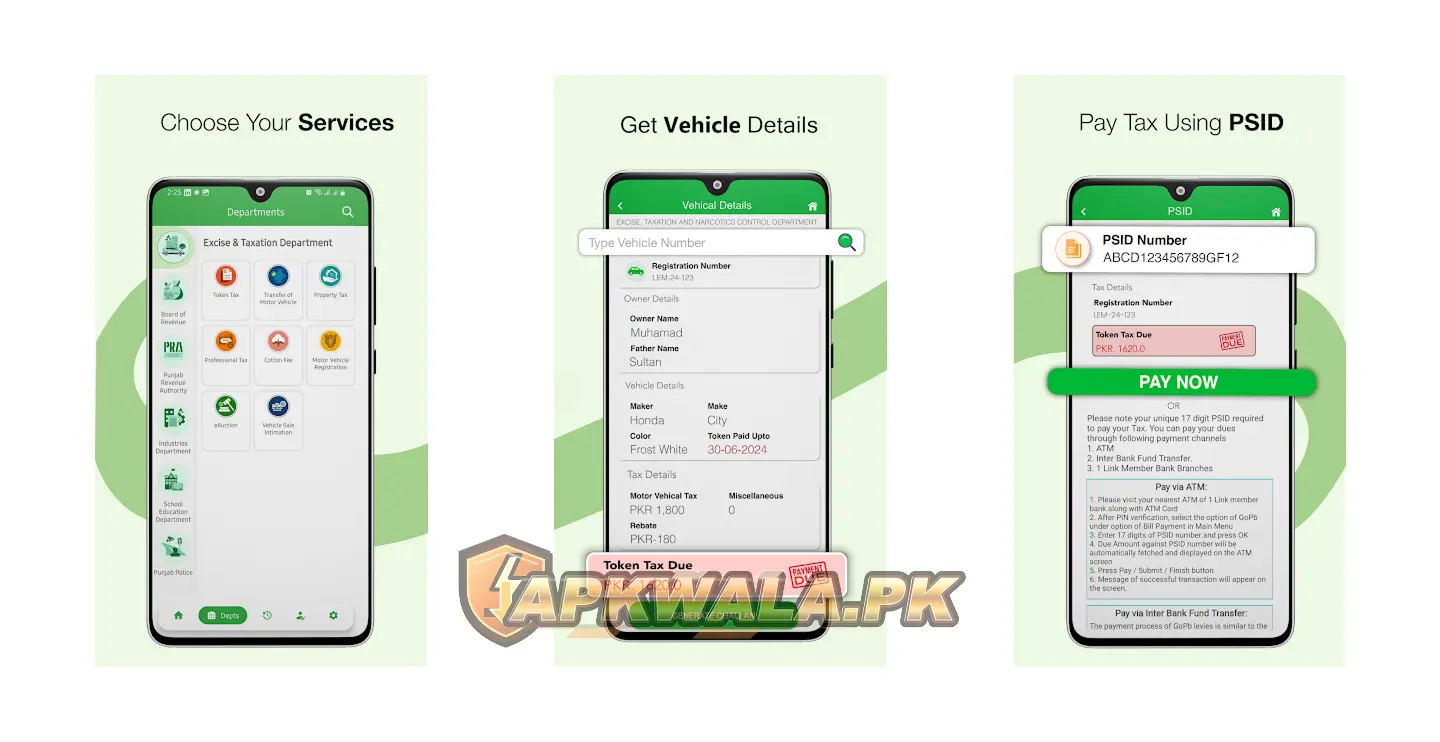
ePay Punjab APK app information
| App detail | Verified information |
|---|---|
| App name | ePay Punjab |
| Category | Government and payments |
| Official developer | Punjab Information Technology Board |
| Android package | com.pitb.ePayGateway |
| Google Play downloads | 1 million plus |
| Google Play rating at review time | 4.5 |
| Last update shown at review time | April 23, 2026 |
| Price | Free to install |
| Main purpose | Generate PSIDs and pay supported Punjab government dues |
| Official Android source | Google Play |
| Modified APK hosted by APKWala | No |
Google Play may offer a different build according to your device, Android version or rollout group. The store page does not always expose a public version number on the web, so check the version offered on your phone instead of trusting a number copied by a third-party download page.
You can find other verified local services in APKWala’s Pakistan Android apps section.
What we verified
We checked the official ePay Punjab website, PITB pages, current user-guide library and Google Play listing on July 30, 2026. The Play listing named Punjab Information Technology Board as the developer, used package com.pitb.ePayGateway, showed more than 1 million downloads and listed April 23, 2026 as the latest update date visible to us.
We did not sign in with a private account, generate a live challan or send money. Service availability and on-screen wording can change. The payment instructions below follow the official ePay flow and its published service guides.
How to download ePay Punjab APK safely
The safest route is short:
- Open the official Google Play link above.
- Check that the app name is ePay Punjab.
- Confirm the developer is Punjab Information Technology Board.
- Check that the Play URL contains
com.pitb.ePayGateway. - Tap Install or Update.
- Open the app from your Android launcher.
Do not install an “ePay Punjab Mod APK,” a login-bypass build or a file promising free challan payments. Government dues cannot be erased by changing an Android app. An altered file may instead expose your CNIC, phone number, documents, OTP or transaction details.
If Google Play is temporarily unavailable, use the official ePay Punjab web portal in your browser. APKWala does not mirror this payment app because the official store and web service are available.
What can you pay through ePay Punjab?
The exact service list changes as departments add or revise levies. The official app listing and current guide library include services such as:
- Vehicle token tax, registration and transfer fees
- Property and professional tax
- Traffic challan and Safe City e-challan
- Fard, mutation and e-stamping fees
- PPSC examination fees
- Route permit and vehicle fitness fees
- Domicile fees
- PEPRIS and selected business registration fees
- e-Abiana and other department-specific payments
Do not assume that every Punjab government fee appears under one account. Open the relevant department and read the requested identifiers before creating a challan. For service-specific screens, consult the official ePay Punjab user guides. They include pictorial instructions for token tax, traffic challan, property tax, route permits, mutation fees and other supported payments.
How to register in ePay Punjab APK
The registration screen asks for a Pakistani mobile number, name, CNIC without dashes, email address and a password. Enter details you can access and verify. A mistyped email or inactive phone number can stop the verification process later.
- Open the ePay Punjab APK or official website.
- Choose Sign Up or Register.
- Enter the mobile number in the format shown on the form.
- Type your CNIC without dashes.
- Enter an active email address.
- Create and confirm your password.
- Accept the displayed terms after reading them.
- Complete the email or OTP verification requested by the service.
Use your own contact details. Do not ask a shopkeeper or unknown person to register the account with their email, because password resets and payment records may later go to that address.
How to generate a 17-digit PSID in ePay Punjab APK
A PSID is the payment reference tied to a specific challan or government due. It is not your account password, bank PIN or OTP.
- Sign in to the official app or website.
- Select the department or levy you need to pay.
- Choose the relevant service.
- Enter the required vehicle, challan, property, application or consumer details.
- Review the fetched record carefully.
- Generate the challan.
- Copy or save the 17-digit PSID.
- Note the amount and any due date before leaving the screen.
Some services retrieve a PSID that already exists on a challan instead of creating a new one. Traffic, transport and land-record workflows can use different reference fields. Follow the label on the screen rather than forcing a number into the wrong box.
Check the name, vehicle registration, property reference or application record before paying. A successful payment against the wrong PSID can be harder to correct than a form-entry mistake.
How to pay an ePay Punjab PSID
The ePay Punjab APK generates or retrieves the payment reference. Your bank, wallet, agent or counter completes the payment.
Pay through a mobile banking app
The menu name differs between banks, but the usual flow is:
- Open your bank’s official app.
- Find Bill Payments, Government Payments or 1Bill.
- Select the Punjab government or ePay option if shown.
- Enter the complete 17-digit PSID.
- Compare the fetched amount and payer details with your challan.
- Confirm the payment using your bank’s normal authorization method.
- Save the receipt or transaction reference.
Never approve a payment if the amount or record does not match. Go back and check the PSID one digit at a time.
Pay through ATM, wallet, agent or bank counter
The official service also lists internet banking, ATM, mobile wallets, telco agents and over-the-counter banking as payment channels. Availability depends on the provider. Take the PSID and exact amount with you, then keep the stamped slip or digital receipt.
Do not share a banking OTP with an agent. If an agent needs your OTP to “finish” a payment, stop the transaction and use a channel you control.
How to check a paid PSID in ePay Punjab APK
Open the relevant service in ePay Punjab and check its history or search function. Some official guides show a History area where users can retrieve payment records. Your bank statement, wallet history or counter receipt is also important evidence.
Status updates are not always instant. If the money has left your account but ePay still shows unpaid or pending:
- Do not make the same payment again immediately.
- Save the PSID, bank transaction ID, time, amount and screenshot.
- Refresh the record after a reasonable wait.
- Check the bank or wallet history for a completed, pending or reversed status.
- Contact official ePay support if the statuses still disagree.
The current official support email is support@epay.punjab.gov.pk. The ePay site also lists the helpline 042-99030100. Send transaction evidence privately. Never post a full CNIC, phone number, PSID or receipt in a public comment.
ePay Punjab APK email verification link not received
Recent Google Play reviews mention delayed email links and OTPs. Reviews show user reports, not a diagnosis of the system, so start with checks you can control:
- Confirm that the email address was typed correctly.
- Check Spam, Junk, Promotions and All Mail.
- Search the inbox for “ePay Punjab.”
- Wait before requesting another link.
- Use only the newest link if several arrive.
- Turn off a VPN or private DNS temporarily if the page will not open.
- Try the official web portal in an updated browser.
- Contact official support if no message arrives.
Repeated taps can produce several emails in the wrong order. An older verification link may have expired by the time you open it.
Roman Urdu help
Agar ePay Punjab ka verification email nahi aa raha, pehle Spam aur Promotions folder check karein. Email address ki spelling dobara dekhein aur bar bar link request na karein. Agar multiple links aa jayein to sab se naya link use karein. Phir bhi masla ho to official support email par apna issue bhejein, lekin password ya OTP kabhi share na karein.
ePay Punjab OTP not received
Make sure the registered SIM has signal and can receive ordinary SMS messages. Set the phone’s date and time to automatic, restart the phone and request one fresh OTP. If you use two SIMs, confirm that the registered number is active.
Do not keep requesting codes every few seconds. A new request can invalidate the previous OTP, while network delay may deliver the messages out of order.
Agar OTP nahi aa raha to registered SIM ka signal check karein, phone restart karein aur sirf aik naya code request karein. Purana OTP use na karein. Kisi call, WhatsApp message ya comment mein OTP share karna safe nahi hai.
ePay Punjab payment failed or money deducted
“Failed,” “pending” and “money deducted” are different cases.
If the bank shows failed and no amount was deducted, check the PSID and try again later through an official channel. If the transaction is pending, wait for the bank or wallet to settle or reverse it before retrying. If the amount was deducted, keep the receipt and do not pay again until you have checked the payment record.
For a deducted amount:
- Record the 17-digit PSID.
- Save the bank or wallet transaction reference.
- Take screenshots showing the amount, date and status.
- Check ePay history and the relevant challan record.
- Contact your payment provider if its transaction remains pending.
- Send the evidence to official ePay support if the provider shows success but ePay does not.
Avoid publishing the evidence on Facebook, YouTube or APK comments. Crop or cover private numbers if you need to share a screenshot with anyone outside official support.
Roman Urdu payment help
Agar paisay deduct ho gaye hain lekin challan paid show nahi ho raha, foran dobara payment na karein. PSID, transaction ID, amount aur time ka screenshot save karein. Bank app mein status check karein. Bank successful show kare aur ePay par unpaid ho to official ePay support ko private email bhejein.
ePay Punjab APK not installing or updating
Try these checks in order:
- Confirm that you are using the official Google Play listing.
- Free enough storage for the download and installation.
- Restart the phone.
- Update Google Play Store and Google Play services.
- Remove a partly downloaded update.
- Check whether parental controls, a work profile or device policy blocks installation.
- Use the official web portal if the app still will not open.
A package-conflict or signature error can appear when an unofficial APK was installed previously. Do not disable Android security to force an unknown build onto the phone. Remove the untrusted copy only after saving any information you need, then install the PITB version from Google Play.
Is ePay Punjab APK safe?
The verified Android listing is published by Punjab Information Technology Board and uses package com.pitb.ePayGateway. The official website says the payment system connects with Pakistan’s banking network through State Bank of Pakistan and 1-Link.
Google Play’s current data-safety section says the app may collect personal information, files and documents, and device or other identifiers. It also says data is encrypted in transit and users can request deletion. These are developer declarations shown by Google, not an independent security audit. Read the current disclosure before installing because it can change.
The source still matters. Check the publisher and package every time. A copied icon and app name do not prove that a downloaded file is genuine.
APKWala’s verified Android download guides use the same source-first checks for sensitive apps. If you also manage a Pakistani mobile account from Android, the SIMOSA APK download and login guide explains the official Jazz World replacement.
Should you install an old ePay Punjab version?
Avoid old builds unless official support asks you to use one for a specific problem. Payment services change on the server, and an old app may fail at login, verification, challan creation or status checks. It can also miss security and compatibility fixes.
If a current update does not work on your phone, use the official web portal while you contact support. That is safer than entering CNIC and payment information into an archived file from an unknown repository.
Frequently asked questions
Is ePay Punjab a government app?
Yes. The Google Play listing names Punjab Information Technology Board as the developer. PITB and the Punjab Finance Department launched the service together.
What is the official ePay Punjab package name?
The Android package is com.pitb.ePayGateway. Check it in the Google Play URL before installing.
Can I pay a traffic challan through ePay Punjab?
Traffic challan and e-challan appear in the official service information and user-guide library. Use the relevant challan details or PSID shown by the issuing service.
Can I use ePay Punjab without the Android app?
Yes. The official web portal provides registration and payment-service access in a browser. This is the best fallback when the ePay Punjab APK will not install or open.
Why is my PSID not working in my bank app?
Check all 17 digits, the selected bill-payment category and the PSID due date. If the bank cannot retrieve the record, do not change digits or guess a biller. Confirm the reference in ePay and ask the bank or ePay support which channel should handle it.
Does APKWala host ePay Punjab Mod APK?
No. APKWala links to the official app. Modified builds are not appropriate for an account that handles identity and government payment information.
Official support and source notes
This guide uses the official ePay Punjab website, Google Play listing and service-guide library linked in the relevant sections above. PITB also maintains an official ePay Punjab project update. App dates, ratings and service lists can change, so APKWala records the date checked instead of presenting them as permanent facts.
Before sending money, match the PSID, amount and payer record on your own screen. Keep the receipt until the government service shows the payment as complete.