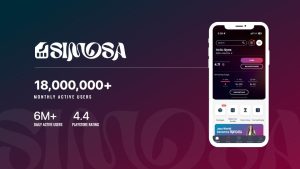
SIMOSA APK is the Android app that replaced Jazz World. It keeps the familiar Jazz account tools, including balance checks, package activation, recharge, bill payment and tax certificates, but the app now includes services for non-Jazz users as well.
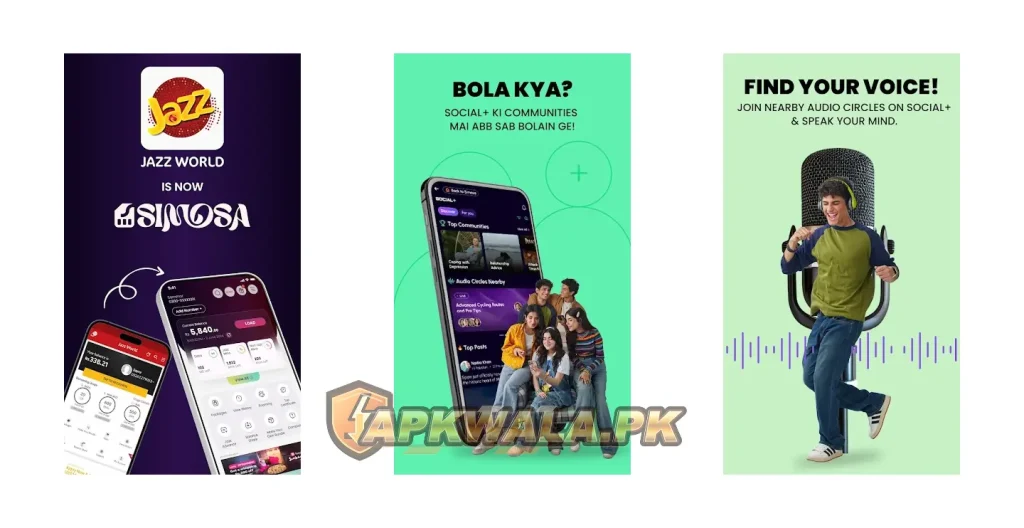
The official developer is Jazz Digital Pakistan, and the Android package name is com.jazz.jazzworld. That old package name is normal. Jazz rebranded Jazz World as SIMOSA without replacing the original Android package.
APKWala.pk does not host a modified SIMOSA file. The app deals with your mobile account and can be used for payments, so install it from the verified Google Play listing.
Download the official app: Install SIMOSA from Google Play
SIMOSA APK app information
| App detail | Information |
|---|---|
| App name | SIMOSA – Jazz World |
| Previous name | Jazz World |
| Official developer | Jazz Digital Pakistan |
| Android package name | com.jazz.jazzworld |
| Category | Telecom, lifestyle and social |
| Downloads shown on Google Play | 50 million plus |
| Google Play rating at review time | 4.4 |
| Last Google Play update checked | June 24, 2026 |
| Price | Free to install |
| Official Android source | Google Play |
| Modified APK hosted by APKWala | No |
Google Play does not always show the public version number in its web listing. Check the version offered to your phone before installation. Rollouts can differ by device, Android version and account.
You can also browse APKWala’s Pakistan telecom apps for official download and troubleshooting guides.
What we verified
We checked the live Google Play listing on July 27, 2026. It named Jazz Digital Pakistan as the developer, showed more than 50 million downloads and used the package com.jazz.jazzworld. The listing said the app was updated on June 24, 2026.
We did not log in to a private Jazz account or make a paid transaction. Features tied to a number, package or promotion can differ from what Jazz describes publicly. Where this guide explains account tools, it relies on Jazz’s current Play Store listing and its official support pages.
Is SIMOSA the new name of Jazz World?
Yes. Jazz announced the change from Jazz World to SIMOSA on May 6, 2024. The company described SIMOSA as a multi-network self-care and lifestyle app rather than a service limited to Jazz customers.
If Jazz World changed its name and icon after an update, nothing unusual happened. You do not need a separate “Jazz World old app” to manage the same number. The interface is different, but SIMOSA is the replacement.
The SIMOSA APK retained the package name com.jazz.jazzworld, which is why “Jazz World” still appears in links, app records and Android settings. It does not mean the official listing is outdated or fake.
Jazz explains the rebrand in its official Jazz World to SIMOSA announcement.
How to download SIMOSA APK safely
Use the official Play Store listing whenever it works on your device:
- Open the SIMOSA Google Play page.
- Check that the developer is Jazz Digital Pakistan.
- Confirm that the URL contains
com.jazz.jazzworld. - Tap Install or Update.
- Let Google Play finish the installation.
- Open the app and sign in with your mobile number.
Avoid downloads labelled “SIMOSA Mod APK,” “unlimited balance,” “free packages unlocked” or “login bypass.” None of those are legitimate SIMOSA features. A changed app could capture your OTP, account details or payment information.
If Google Play is unavailable on your phone, do not grab the first file that appears in search. Return to the APKWala Android app library and check whether an official standalone source has been verified.
What can you do in the SIMOSA app?
SIMOSA has grown far beyond the old balance and bundle screen. The SIMOSA APK now divides its tools into SIMCare, Lifestyle and Social+.
Manage a Jazz number
Jazz prepaid and postpaid users can use SIMOSA to:
- Check balance and remaining package resources.
- View data, call and SMS usage.
- Recharge a prepaid number.
- Pay a postpaid bill.
- Activate or deactivate eligible bundles.
- View package and tariff information.
- Manage more than one number from an account.
- Download a tax certificate.
- Submit and track a complaint.
- Turn on international roaming where available.
Jazz’s official self-service page lists balance information, usage details, bundle management, bill payment, tax certificates and complaint handling among SIMOSA’s account tools.
Use SIMOSA with another network
The Play Store listing says people with non-Jazz numbers can also register. They may see recharge, lifestyle and community features even if their main SIM belongs to another network.
This does not mean every Jazz account feature works with Zong, Ufone or Telenor numbers. Jazz-only services still require an eligible Jazz account or SIM.
Use SIA in Urdu or Roman Urdu
The current app includes SIA, an assistant that understands English, Urdu and Roman Urdu. Jazz says SIA can activate bundles, suggest packages and handle complaint requests.
Treat SIA like an account menu, not a person. Check the package name, price and validity before confirming a purchase.
How to check Jazz balance in SIMOSA
After signing in with your Jazz number:
- Open the SIMOSA home screen.
- Look for the SIMCare or account section.
- Select your Jazz number if you manage several numbers.
- Check the balance and remaining resources shown for that account.
- Open usage details for a breakdown of data, calls or SMS.
If the displayed balance has not updated, close and reopen the app. You can also switch between mobile data and Wi-Fi, then refresh the account screen. Do not buy the same package twice while the first transaction is still pending.
How to activate or check a Jazz package
Open the bundle or package area and choose the relevant data, call, SMS or hybrid offer. Read these details before subscribing:
- Total price, including tax where shown
- Validity period
- Data, minutes and SMS allowance
- On-net and off-net limits
- Auto-renewal status
- Eligibility requirements
After activation, save the confirmation message and check the package in your active subscriptions. If money is deducted but the bundle does not appear, take a screenshot of the transaction reference and submit a complaint through SIMOSA or Jazz support.
How to claim free MBs in SIMOSA
The official Google Play description mentions daily free data rewards for prepaid users. The reward offered to an account can change, and not every user will necessarily receive the same promotion.
To check:
- Sign in with an eligible Jazz prepaid number.
- Open the rewards or daily check-in area.
- Read the reward terms.
- Claim the reward if it is available.
- Check the expiry time and usage conditions.
Avoid pages promising a secret SIMOSA code for unlimited free data. Use promotions displayed inside the official app. A temporary reward should not be described as permanent free internet.
How to download a Jazz tax certificate
Jazz provides a tax-certificate option inside SIMOSA:
- Open SIMOSA and sign in.
- Tap Tax Certificate from the relevant account menu.
- Select the required year.
- Tap the download option.
- Enter the requested four-digit PIN.
- Save the generated certificate.
The available tax year and verification process can change. Jazz has a separate SIMOSA tax certificate guide with the official steps.
SIMOSA login problem: fixes to try
If the SIMOSA APK is not accepting your number or OTP, start with the simple checks:
- Confirm that the number is entered in the format requested by the app.
- Make sure the SIM can receive SMS messages.
- Use the newest OTP. An older code may stop working after you request another one.
- Turn airplane mode on and off.
- Switch between Wi-Fi and mobile data.
- Set the phone’s date and time to automatic.
- Update SIMOSA through Google Play.
- Restart the phone.
Do not share the OTP with anyone claiming to be an APKWala or Jazz agent. A genuine support representative should not need your one-time login code.
For persistent account problems, email hello@simosa.com.pk or use Jazz’s official support channels. Do not post your phone number, CNIC or transaction details in public comments.
SIMOSA balance or package not showing
A delayed balance or package display can come from a slow account refresh, an interrupted transaction or an app-side problem.
Try the following:
- Pull down or use the refresh option on the account screen.
- Check that the correct number is selected.
- Reopen the app.
- Clear the app cache, but do not clear storage unless you know your login details.
- Check the confirmation SMS for the package.
- Wait a few minutes before trying the purchase again.
- Save transaction references and screenshots if the issue involves a payment.
If the balance was deducted without a successful package activation, report the transaction to Jazz instead of repeatedly purchasing the bundle.
SIMOSA app not updating or installing
If the SIMOSA APK will not install:
- Free some storage on the phone.
- Restart Android.
- Remove an incomplete download.
- Update Google Play Store and Google Play services.
- Check whether a work profile, parental control or security app blocks installation.
- Do not install an unofficial file over the official app.
Android may show a package-conflict error when a downloaded file has a different signing certificate. That is a warning sign. Keep the official installation rather than uninstalling it to make room for an unknown build.
If the update changed Jazz World to SIMOSA, the rename is expected. You do not need to roll back simply to restore the old name.
Should you download an old Jazz World version?
Usually, no. An old version may contain bugs, miss security fixes or stop connecting to current Jazz services. It may also lack features introduced after the SIMOSA rebrand.
Only use an older build if Jazz support recommends one for a specific compatibility problem. Never enter telecom or payment details into an archived copy from an unknown source.
People searching for “Jazz World old version APK” often want the simpler interface, not an insecure application. In that case, it is safer to keep SIMOSA updated and use its SIMCare section for the familiar balance, package and recharge tools.
Is SIMOSA APK safe?
The official SIMOSA app is published on Google Play by Jazz Digital Pakistan. Its package name is com.jazz.jazzworld, which matches its history as the Jazz World app.
Safety depends on the source. Check the developer, package name and store URL before installation. Do not trust a changed file because it carries the correct icon.
Read the current data-safety disclosure on Google Play because developers can change it. Check the app’s Android permissions too, especially after a major update. APKWala applies the same caution to sensitive government apps such as Pak Identity APK.
Roman Urdu quick help
SIMOSA pehle Jazz World ke naam se jani jati thi. Agar update ke baad Jazz World ka naam SIMOSA ho gaya hai to yeh normal hai. Official package name ab bhi com.jazz.jazzworld hai.
SIMOSA login nahi ho raha ho to:
- Number dobara check karein.
- Naya OTP use karein, purana code nahi.
- Airplane mode on aur off karein.
- Wi-Fi aur mobile data change karke dekhein.
- Phone ka date aur time automatic karein.
- Google Play se SIMOSA update karein.
Agar balance ya package show nahi ho raha, sahi number select karein aur app refresh karein. Payment deduct ho jaye lekin package activate na ho to transaction reference save karke Jazz ko complaint karein. OTP, PIN ya CNIC details kisi WhatsApp agent ya APK website ko na dein.
Frequently asked questions
Is SIMOSA the same as Jazz World?
SIMOSA is the renamed and expanded version of Jazz World. Jazz announced the rebrand in May 2024.
Why does the SIMOSA package name still say Jazz World?
The app kept the Android package name com.jazz.jazzworld after the rebrand. Changing an established package would create a separate Android app rather than updating the existing installation.
Can non-Jazz users install SIMOSA?
Yes. The current official description says non-Jazz users and overseas Pakistanis can install SIMOSA APK, although Jazz account features still require an eligible Jazz number.
Can I get free MBs from SIMOSA?
Jazz advertises daily free data rewards for eligible prepaid users. Open the rewards section to see what is currently available for your account.
Is a SIMOSA Mod APK safe?
No modified build should be trusted with a telecom account, OTP or payment information. Use the official Google Play version.
Why is SIMOSA not showing my balance?
Check that the correct number is selected, refresh the account, reopen the app and confirm your connection. Contact Jazz if a paid transaction is missing.
Should you install SIMOSA?
SIMOSA APK is useful if you want to check a Jazz balance, manage packages, pay a bill, download a tax certificate or raise a complaint without calling the helpline. The extra lifestyle and social sections are optional. Jazz customers who only want the old Jazz World tools can stay inside SIMCare.
Install the official version from Google Play. If SIMOSA opens but your number, balance, package or payment is wrong, contact Jazz with the transaction reference. APKWala.pk can explain installation problems, but it cannot access or change a SIMOSA account.