
UC Browser APK is the Android browser published by UCWeb Singapore Pte. Ltd. The official international package is com.UCMobile.intl. Install it from Google Play when the listing is available for your device and region, then review its permissions and data-safety disclosure before making it your main browser.
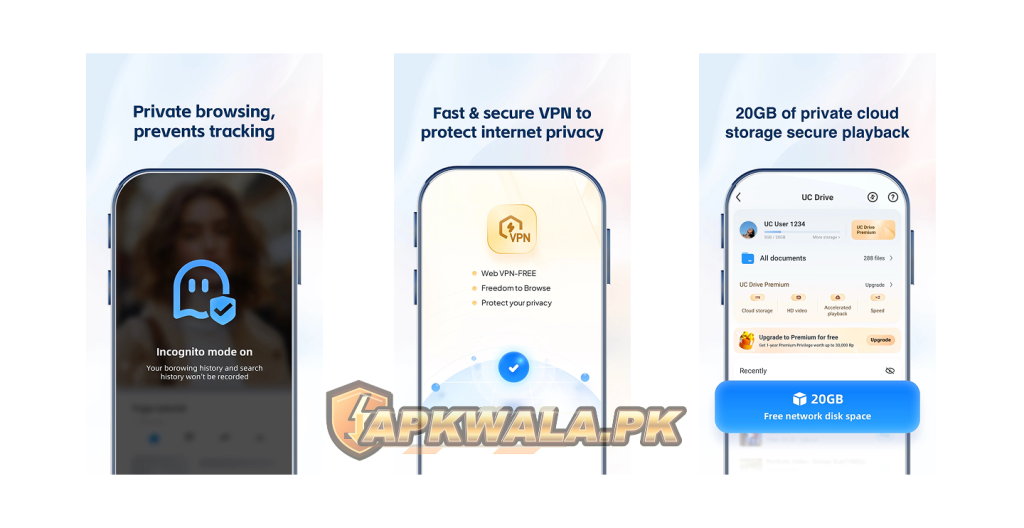
UC Browser handles every page you visit, search you enter and file you download through it. That access deserves more care than an ordinary utility app. APKWala does not claim that a browser is safe merely because an APK installs or passes one malware scan.
UC Browser APK information
| App detail | Verified information |
|---|---|
| Google Play name | UC Browser-Safe, Fast, Private |
| Publisher | UCWeb Singapore Pte. Ltd. |
| Developer shown by Google Play | UCWEB SINGAPORE PTE. LTD. |
| Android package | com.UCMobile.intl |
| Google Play downloads | 1 billion plus |
| Rating shown at review time | 4.4 |
| Last update shown | September 18, 2026 |
| Content rating | Everyone, Unrestricted Internet |
| Monetisation | Ads and in-app purchases |
| Main tools | Web browsing, download manager, video tools, ad blocking, translation and UC Drive |
| Official support | In-app Menu > Feedback and help@idc.ucweb.com |
| Modified file hosted by APKWala | No |
We checked Google Play, UCWeb’s developer listing, the UC Mini listing and the linked privacy information on September 24, 2026. Google Play did not display one public version number in our view, so we have not copied a version from an APK mirror. Store builds and compatibility can differ by device.
How to download UC Browser APK safely
Open the Play listing and verify all three identifiers before installing:
- App name: UC Browser-Safe, Fast, Private
- Publisher: UCWeb Singapore Pte. Ltd.
- Package in the URL:
com.UCMobile.intl
Do not trust the orange squirrel icon by itself. Cloned listings, repacked files and unrelated browsers can reuse familiar branding. A site calling its file “official” is not proof that UCWeb signed it.
Google Play is the cleaner route because it chooses a compatible build, verifies the app signature and handles updates. Keep Play Protect enabled. If Play says the app is unavailable or incompatible, confirm the phone’s Android version and region instead of downloading the first old build you find.
A UC Browser APK download from outside Play should never be trusted on filename and icon alone.
The UC Browser APK may also appear as an XAPK or split package on archive sites. Our XAPK installation guide explains why such files contain more than one component. A package-format explanation does not verify who signed a particular download.
UC Browser APK latest version and update check
Google Play showed an update dated September 18, 2026 when we reviewed the listing. The public change note mentioned an SDK upgrade and feature-experience improvements. It did not expose one version number that we could confirm for every device. This is why the UC Browser APK latest version should be checked on the phone rather than copied from a mirror table.
Check your installed release through Settings > Apps > UC Browser and scroll to the version field. Then open the Play listing. If an Update button appears, use it. If Play shows Open, your account currently has the newest compatible store build offered to that phone.
Avoid using a mirror’s version number as the only sign of freshness. A higher-looking number can belong to another region, package variant or repacked file. Package name and signature matter more than the filename.
UC Browser and UC Mini are different apps
UC Browser and UC Mini are separate Google Play packages. The main browser uses com.UCMobile.intl. UCWeb’s official Google Play developer page lists both products, while UC Mini uses com.uc.browser.en and has its own update schedule.
UC Mini focuses on a smaller browser experience with video and download features. The main app currently advertises a wider set of tools, including UC Drive, translation, ad blocking and its built-in VPN feature. Their bookmarks, settings or account state should not be assumed to move automatically between the two apps.
Choose UC Mini only after checking its current Play listing, publisher and data-safety section. Do not install a file called “UC Browser Mini” when the package belongs to neither official listing.
Which one fits an older phone?
The word “Mini” does not guarantee support for a very old Android release. Google Play decides whether the current build is compatible with the phone. If both listings are unavailable, an archived browser can leave the device exposed to old web-engine and certificate problems.
For a phone that no longer receives Android security updates, the better fix may be a supported device or a browser whose current release still supports that Android version. Forcing an old browser onto an old operating system does not restore modern security.
Roman Urdu UC Mini help
Agar UC Browser aur UC Mini mein confusion hai, Play Store URL ka package check karein. Main app ka package com.UCMobile.intl hai aur UC Mini ka com.uc.browser.en. Sirf icon ya file name dekh kar install na karein. Purane Android par Play Store compatibility message ko ignore na karein.
Fast downloads without unsafe settings
UC Browser is popular with users who want a download manager that can pause and resume large files. Speed still depends on the file server, mobile network, Wi-Fi quality, storage and whether Android allows background activity.
Before starting a large download in Pakistan:
- Keep enough free internal storage for the file and temporary data.
- Use a trusted Wi-Fi connection or confirm your mobile-data package.
- Check that the source allows the file to be downloaded.
- Save important files to a folder you can find later.
- Leave battery saver off while testing a stalled background download.
- Do not grant access to unrelated folders merely to increase speed.
A browser cannot make a slow source server fast. It also cannot resume every link. Some sites create temporary URLs that expire, so a paused download may need a new link.
UC Browser download stuck, retrying or failed
When a file remains on Waiting for network, Retrying or Resume failed, work through the checks in this order:
- Open a normal webpage to confirm the connection works.
- Switch once between trusted Wi-Fi and mobile data.
- Check whether the original download link still opens.
- Confirm that the destination storage has enough space.
- Allow background data for UC Browser during the test.
- Turn off battery saver for the browser.
- Clear UC Browser’s cache, not storage.
- Update from Google Play and restart the phone.
If the link expired, return to the original website and generate a fresh download. Do not use a random mirror simply because the old URL cannot resume.
For files you need to move between your Android phone and computer, our LocalSend APK guide covers offline transfer over the same local network. It can be cleaner than uploading a private file to a cloud link merely to move it between your own devices.
Roman Urdu download fix
Agar UC Browser download retrying par atki hai, pehle original link dobara open karke check karein. Storage khali karein, battery saver off karein aur background data allow karein. Clear cache use karein, Clear storage nahi. Temporary link expire ho gaya ho to source website se fresh link lein.
Pages not opening or connection not secure
First test the same page in another current browser. If it also fails, the website, DNS or network may be responsible. If only UC Browser fails, update the app and restart it.
Check the phone’s date and time because an incorrect clock can break certificate validation. Turn off a custom VPN, proxy or Private DNS for one test. Do not bypass a certificate warning on a login, payment, email or government website.
Old Android versions may lack current certificate support, and old browser engines may not understand newer web standards. Installing an even older UC Browser APK usually makes that problem worse.
Roman Urdu page-loading help
Agar website UC Browser mein open nahi ho rahi, wahi page kisi updated browser mein check karein. Phone ki date aur time automatic rakhein. VPN ya Private DNS aik dafa off karke test karein. Banking ya login page par connection not secure warning aaye to continue na karein.
UC Browser keeps crashing or shows a black screen
Restart the phone first. Update the browser, Android System WebView and Google Play services, then free some storage. A nearly full phone can make tabs, downloads and video playback unstable.
Use these low-risk steps before reinstalling:
- Force stop UC Browser.
- Clear only its cache.
- Close unused tabs.
- Remove a recently enabled extension-like feature or content setting if applicable.
- Test without VPN, floating windows or screen overlays.
- Restart and try one plain webpage.
Clearing storage removes local browser data and may delete settings, sessions or files kept inside app-controlled storage. Export important bookmarks and confirm where downloads are stored before doing it.
UC Browser permissions explained
A browser may reasonably request network access, notifications for downloads, and storage or media access when you choose files. Camera, microphone and location can be needed by websites that use video calls, voice input, maps or uploads. They do not need to remain allowed all the time.
On Android, open Settings > Apps > UC Browser > Permissions. Set camera, microphone and location to Ask every time or Allow only while using the app when those choices are available. Deny a permission if you do not use the related feature.
Notification access, Accessibility access, device administrator access and permission to install unknown apps are more sensitive. Do not enable them because a website popup tells you to. UC Browser does not need permanent permission to install unknown applications for ordinary browsing.
Privacy concerns and what Google Play discloses
The name on Google Play includes “Safe, Fast, Private,” but users should read the data section rather than relying on a title. At review time, the developer’s Google Play disclosure said the app may collect personal information, web browsing data and two other data categories. It also stated that data was not encrypted and that users could request deletion.
Those statements come from the developer’s Play declaration. They are not an independent APKWala audit, and they can change. Read the live disclosure and the privacy policy linked by Google Play before signing into UC Drive or using the browser for sensitive work.
Incognito mode mainly controls what the browser stores locally. It does not make you invisible to websites, your network provider, an employer’s network or the services you sign into. A built-in VPN label also does not remove the need to understand who operates the service and what data it handles.
For banking, wallet, identity and email accounts, a browser with clearer encrypted-data disclosures may be a better fit. Never save a password on a shared phone, and do not install an unknown certificate to open a blocked page.
Roman Urdu privacy help
UC Browser install karne ke baad Settings > Apps > UC Browser > Permissions check karein. Camera, mic aur location ko zaroorat ke waqt allow karein. Incognito mode ISP ya websites se activity hide nahi karta. Banking aur CNIC wali website par certificate warning ko bypass na karein.
UC Browser old version risks
Old-version pages attract users with older phones or people who dislike a new interface. A browser downgrade has more risk than downgrading an offline calculator because the browser processes untrusted websites, scripts, downloads and account sessions.
An old UC Browser APK may have:
- Unpatched browser-engine flaws.
- Outdated certificate support.
- Broken sign-in or video pages.
- Incompatible download handling.
- A signature conflict with the installed Play version.
- Old privacy controls that do not match current Android settings.
Do not use an archived browser for banking, wallet logins, government identity portals or password resets. If the current release will not run on the phone, compare supported alternatives or use a newer device.
Treat every UC Browser APK old version as unsupported for sensitive browsing unless the developer still distributes and updates that exact build.
Alternatives to UC Browser
No browser is automatically best for every phone. Compare current Play disclosures, update frequency, Android compatibility and the features you use.
- Firefox is useful for users who want extension support and Mozilla’s open-source browser work.
- Brave focuses on tracker blocking and privacy controls but includes its own optional services.
- Chrome is commonly preinstalled and works closely with Android and Google accounts.
- Opera includes data-saving and browsing tools in its current Android releases.
- UC Mini may suit users who prefer its smaller feature set, subject to current device compatibility and privacy review.
Download any alternative from its official developer listing. Do not import passwords into a new browser until you have verified the publisher and device security.
Users who mainly want ad-free background video or downloads should check whether their source permits downloading. Our My telenor Apk guide covers the official open-source project, supported architectures and download-error fixes for compatible public content.
UC Browser APK FAQs
What is the official UC Browser package name?
The international Android package is com.UCMobile.intl. Google Play lists UCWeb Singapore Pte. Ltd. as the publisher.
What is the latest UC Browser version?
Google Play showed an update dated September 18, 2026 when checked on September 24, 2026. The public listing did not display one universal version number in our view.
Is UC Browser Mini the same app?
No. UC Mini is a separate app with package com.uc.browser.en. It has a different listing and update schedule.
Why does my UC Browser download keep retrying?
Common causes include an expired link, unstable network, blocked background data, battery saver, insufficient storage or a browser problem. Check the original link before restarting the download.
Can I install UC Browser on an old Android phone?
Google Play will show whether the current build supports that device. Avoid forcing an archived browser onto an unsupported phone for sensitive browsing.
Is UC Browser private?
Review the live Play data-safety section and privacy policy yourself. At our review, the developer declared collection of web browsing and personal information among other data and said data was not encrypted.
Install the verified package, keep it updated, restrict unused permissions and avoid using an old browser for accounts that protect money or identity records.