
SadaPay APK is the Android app for opening and managing a SadaPay wallet, sending and receiving money, using Raast, paying bills and controlling physical or virtual cards. Because it handles money, identity documents and card details, install it only from Google Play and verify the package com.sadapay.app.
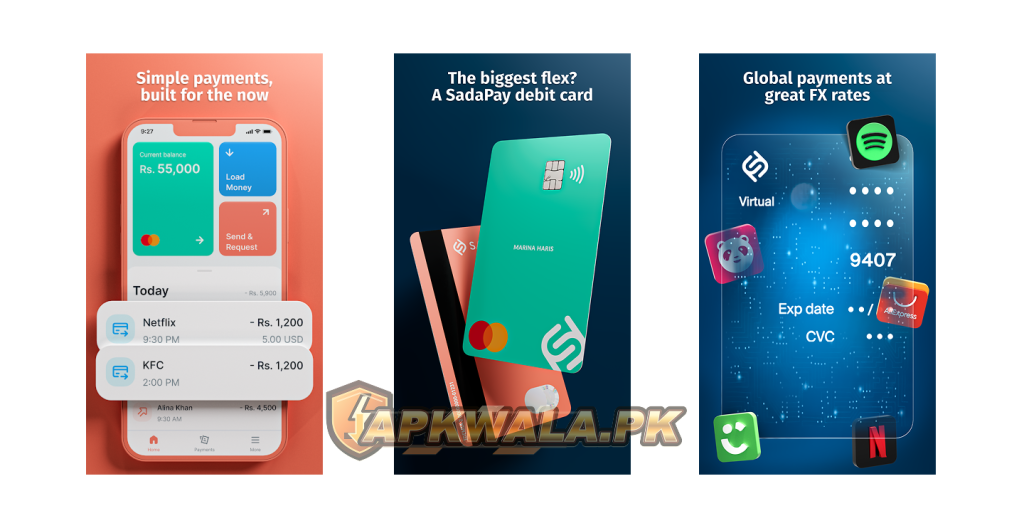
APKWala does not host, modify or re-sign this financial app. A “premium,” “unlimited balance” or verification-bypass APK cannot add real money, approve an account or remove regulatory checks. Such a file can capture your PIN, CNIC, selfie or card information.
SadaPay APK information
| App detail | Verified information |
|---|---|
| App name | SadaPay: Money made simple |
| Google Play publisher | SadaPay |
| Developer shown by Google Play | SADA TECH CORP |
| Android package | com.sadapay.app |
| Downloads shown | 5 million plus |
| Rating shown at review time | 3.7 |
| Last update shown | September 7, 2026 |
| Main services | Wallet, Raast, transfers, bills, virtual and physical cards, SadaBiz features where eligible |
| Official support | In-app chat and hello@sadapay.pk |
| Official Android source | Google Play |
| Modified APK hosted by APKWala | No |
We checked Google Play, SadaPay’s Help Center, privacy information and the State Bank of Pakistan list on September 11, 2026. The public Play page did not show one universal version number in our view. Google can deliver different builds by phone, so we have not copied a version from an APK mirror.
The State Bank of Pakistan’s EMI list includes SadaPay (Pvt.) Limited. SBP also warns that appearing in the list is not an endorsement of an EMI’s business model, financial position or operational soundness.
How to download SadaPay APK safely
Open the Play listing and check all three identifiers before tapping Install:
- App name: SadaPay: Money made simple
- Publisher: SadaPay
- Package in the address:
com.sadapay.app
Do not download SadaPay from a WhatsApp link, Telegram group, shortened URL or page advertising free balance. A copied icon proves nothing. The package and signing source matter, especially on a phone that receives OTPs and stores banking apps.
Google Play handles updates and checks compatibility. If Play says the app is unavailable or incompatible, troubleshoot the Play Store and phone first. Do not disable Play Protect to force an unknown file onto the device.
Our Easypaisa APK safety guide and JazzCash APK login guide follow the same official-only rule for Pakistani wallet apps.
SadaPay APK latest version and update check
Google Play showed a September 7, 2026 update with minor bug fixes and optimisations when we reviewed the listing. It did not expose one public version number that we could verify for every Android device.
To find your installed build, open Settings > Apps > SadaPay and scroll to App details or version information. Then open Google Play. If an Update button appears, install it from there.
Update before starting account verification or biometric verification. SadaPay’s official BVS instructions say a missing biometric option can occur when the app is not current or its cache needs clearing. After updating, restart the phone and open the More section again.
How to create and verify a SadaPay account
SadaPay’s official account verification guide says users submit their own CNIC and selfie through the app. Images must be clear, and the identity information must match. If SadaPay finds an unclear image or mismatch, it can request resubmission.
Use this preparation checklist:
- Keep your own valid CNIC ready.
- Use a phone number and email address you control.
- Clean the camera lens and stand in even light.
- Keep the full CNIC inside the frame without glare.
- Submit your own live selfie rather than a photo of another screen.
- Review spelling and numbers before sending the form.
The official guide currently says verification may take 3 to 5 working days because requests require review. That is SadaPay’s stated timeframe, not an APKWala guarantee. A resubmission, mismatch or additional check can take longer.
Do not pay an agent who promises instant approval. APKWala cannot open an account, approve KYC, change a wallet limit or see a private verification status.
Roman Urdu account help
Agar SadaPay account verify nahi ho raha, apna original CNIC aur apni clear selfie submit karein. CNIC ke corners crop na hon aur roshni ka reflection number ko cover na kare. Resubmit message aaye to wahi document dobara saaf photo ke sath bhejein. CNIC kisi WhatsApp agent ko na dein.
SadaPay biometric verification failed
SadaPay’s July 2026 mandatory BVS guide says eligible Pakistan-based users can open More, choose Increase my limit, and follow the camera instructions to scan fingerprints. It also states that biometric verification is tied to regulatory requirements.
If SadaPay APK cannot complete the scan, work through these checks:
- Update the app and clear its cache.
- Confirm you are physically in Pakistan for the in-app process.
- Turn location off and on, then verify that another map app can find you.
- Use a steady internet connection.
- Clean your fingers and camera lens.
- Place your fingers close together on a plain, well-lit background.
- Avoid repeated attempts after the retry limit appears.
The official troubleshooting page says fingerprint and CNIC mismatch, poor location detection, camera limitations, network trouble or fingerprints not registered with NADRA can stop the flow. It also describes NADRA E-Sahulat verification as an alternative in applicable cases. Follow the current instructions shown inside SadaPay and keep any bar-coded receipt.
Never use GPS spoofing, a fake CNIC, edited fingerprint image or modified app. Those steps can create a security or compliance problem and do not guarantee verification.
Roman Urdu biometric help
Agar SadaPay biometric verification fail ho rahi hai, location off karke dobara on karein aur map app mein location check karein. Fingers aur camera lens saaf rakhein, plain background aur achi roshni use karein. Retry limit khatam ho to bar bar scan na karein. App ki current E-Sahulat instructions follow karein.
Users who need NADRA’s identity app for a separate identity task can read our Pak Identity APK guide. Pak Identity does not replace SadaPay’s own KYC or BVS process.
SadaPay login OTP not received
SadaPay’s official OTP help page says SadaPay APK login codes may arrive through WhatsApp when the registered number is linked to an active WhatsApp account. Otherwise, the code can arrive by SMS. A call option may appear after waiting when WhatsApp access fails.
Try these steps in order:
- Confirm that the registered SIM has signal.
- Check WhatsApp on the registered number.
- Check blocked, spam and filtered SMS folders.
- Delete old messages if an older phone’s inbox is full.
- Restart the handset and request one fresh code.
- Use only the newest OTP.
- Test the registered SIM in another phone if delivery still fails.
For a number ported from one network to another, SadaPay currently instructs users to send MNP to 8890 so the network record can be updated. Check the official help article before acting because operator procedures can change.
Never read an OTP to a caller, shopkeeper or person claiming to be support. SadaPay support can investigate code delivery without asking you to hand over a live login code.
Roman Urdu OTP help
Agar SadaPay OTP nahi aa raha, registered number ka WhatsApp aur SMS spam folder check karein. Phone restart karke aik naya code request karein aur sirf latest OTP use karein. Ported number ho to official SadaPay instructions mein MNP aur 8890 wala step dobara verify karein.
Forgot SadaPay app PIN or changed phone
Use the app’s Forgot PIN or PIN-reset flow. SadaPay’s Help Center says the reset process asks for account-verification details. Enter them only inside the official app.
Changing phones does not transfer a trusted session automatically. Keep the registered SIM available, install the official package, complete the login code and follow the identity checks shown. Do not restore a modified app backup or share a PIN-reset screen with someone offering remote help.
If you no longer control the registered number, contact SadaPay through hello@sadapay.pk or an official channel. Explain that the number changed. Do not create a second account to work around an unresolved identity record unless SadaPay tells you to do so.
SadaPay card not working
A declined card does not always mean the card is damaged. SadaPay’s official card-decline guidance lists common causes such as insufficient balance, a frozen card, details from a replaced card, or incorrect CVV and expiry information.
Check the transaction screen and then confirm:
- The physical or virtual card is not frozen.
- The wallet contains enough for the total amount and any shown charges.
- The merchant has the current card number, expiry and CVV.
- An old card is not saved for a subscription.
- The merchant and transaction type are supported.
- The app shows no account restriction requiring support.
Do not repeat a declined transaction many times. Save the merchant name, amount, time and exact error. If money appears deducted, check whether the transaction is pending, completed, reversed or duplicated before trying again.
For a lost card, SadaPay’s official freeze-card guide says to open the teal balance card, choose the Physical or Virtual tab, then select Freeze card. A stolen card should be reported through the app so it can be disabled and replacement instructions can be issued.
Roman Urdu card help
Agar SadaPay card payment nahi ho rahi, pehle app mein check karein ke card freeze to nahi. Balance, expiry aur CVV dobara dekhein. Purana replaced card merchant ke account mein saved ho to usay remove karein. Deduction nazar aaye to payment repeat karne se pehle transaction status check karein.
SadaPay app not working on Android
If SadaPay APK freezes, closes or stays on a loading screen:
- Restart the phone.
- Update SadaPay through Google Play.
- Free some storage space.
- Update Android System WebView, Chrome and Google Play services.
- Turn off VPN, Private DNS, screen overlays and cloned-app tools for one test.
- Clear the SadaPay cache, not storage, and reopen it.
- Switch once between trusted Wi-Fi and mobile data.
Clearing storage signs you out and removes local app settings. Do it only if you control the registered SIM, know the recovery process and can complete identity checks again.
A server interruption cannot be repaired by downloading an old file. Check official SadaPay channels and contact in-app support when the app opens. Record the time, phone model, Android version and exact message instead of sending only “not working.”
SadaPay old version risks
Old SadaPay files appear on APK archives, but a finance app must match current security, login and compliance systems. An older build may install while failing at OTP, BVS, transfers or card controls.
Avoid downgrading when:
- Google Play offers a supported update.
- The app requires a newer login or verification flow.
- The file source cannot prove the original signature.
- Installing it requires disabling Play Protect.
- The phone contains active wallet, banking or identity data.
An old SadaPay APK cannot restore a closed account, bypass BVS, increase a limit or reverse a transaction. Use the website and official support if the current app will not run on the phone.
Privacy, scams and account protection
SadaPay’s privacy policy says SadaPay APK may process identity, contact, address, device, payment and service-use information. It also describes encryption during login and users’ rights concerning their personal data. Google Play says data is encrypted in transit and that deletion can be requested. These are provider disclosures, not an independent APKWala security audit.
Protect the account with a private app PIN and phone lock. Hide card details when sharing a screenshot. Never post a CNIC image, full card number, CVV, OTP, PIN or biometric receipt in a public review.
If someone calls about a suspicious transfer, end the call and contact SadaPay through the app or an address published on its official pages. Do not install a screen-sharing app or grant Android Accessibility access to a caller.
APKWala cannot view your balance, approve verification, unblock an account, reverse a transfer, replace a card or contact SadaPay on your behalf.
For government fee and PSID payments outside SadaPay, see our ePay Punjab APK guide.
SadaPay APK FAQs
What is the official SadaPay package name?
The official Android package is com.sadapay.app. Google Play shows the publisher as SadaPay.
What is the latest SadaPay version?
Google Play showed an update dated September 7, 2026 when checked on September 11, 2026. Its public page did not expose one universal version number in our view, so check App details on your phone.
What do I need for SadaPay account verification?
SadaPay’s current guide says to submit your own clear CNIC and selfie through the official app. Follow any resubmission request shown in your account.
Why is SadaPay biometric verification failing?
Possible causes in SadaPay’s guidance include location detection, fingerprint and CNIC mismatch, camera or lighting trouble, weak internet, retry limits, or NADRA fingerprint records. Use the official in-app or E-Sahulat route for your case.
Where does the SadaPay login OTP arrive?
The current help page says it may arrive on WhatsApp when that account uses the registered number; otherwise it can arrive by SMS. A call option may appear after a wait.
Can a modified APK increase my SadaPay balance or limit?
No. Balance, limits, verification and card status are controlled by SadaPay’s systems. A modified file puts your money and identity data at risk.
Install the official app, keep the registered SIM available and use in-app support for any account-specific restriction or transaction dispute.